 Nichelens AI
Prompt generator
AI image prompts with a creative direction.
Nichelens AI helps stock creators develop an image idea into a written brief. Start with a subject, add reference images when useful, and choose the visual direction before generating prompts. The workspace produces text prompts; you create the final images in your chosen image generator.
Try the prompt generatorAccount required. See plans and API requirements.
How the workflow works
01
Start with a subject
Enter your own idea or carry a niche from Market Explorer into the prompt generator. A focused subject gives you a more useful starting point than a broad category.
02
Set the visual direction
Add references, choose a style and aspect ratio, and include instructions about composition or lighting. Reference-image limits depend on your plan.
03
Review and create
Edit the resulting prompts before using them in an image generator such as Midjourney. Check the final images for artifacts, commercial suitability, and the destination agency’s current rules.
From “summer citrus” to a usable brief
An illustrative prompt you can adapt to your own subject and generator:
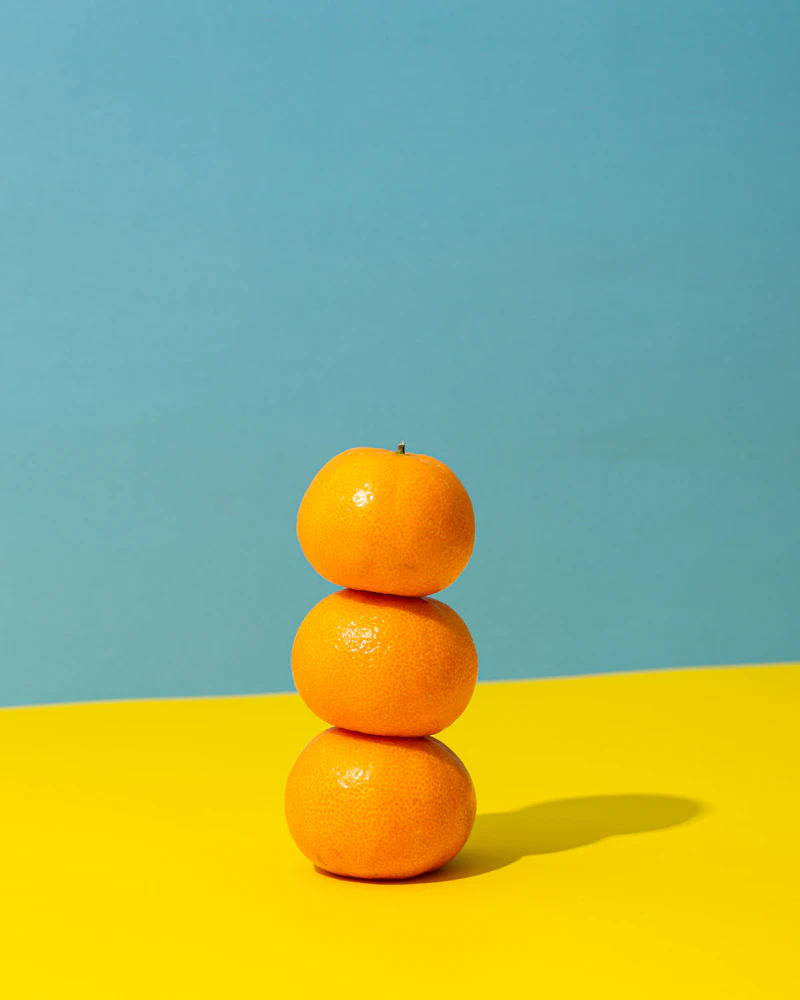
Three ripe oranges balanced vertically on a sunlit yellow surface, muted blue background, playful editorial still life, crisp natural textures, soft directional light, clean composition with generous copy space, no text or logos.
Written example, not a live generation or a claim that the accompanying photograph was generated by Nichelens AI.
What to check before publishing
A detailed prompt does not guarantee a particular image, stock-agency acceptance, or sales. Generator syntax and agency policies differ. Avoid trademarks, unsupported commercial claims, and misleading descriptions of AI-generated work.
Common questions
Does Nichelens AI generate the final image?
This tool generates written image prompts. Use the prompts in an image-generation service, then inspect and edit the resulting assets.
Can I use reference images?
Yes. The prompt workspace accepts reference images, with the number depending on your subscription plan. Only upload images you have the right to use.
Do I need an account or API key?
An account is required to use the workspace. The Starter plan requires your own supported AI API key; provider quotas or charges can apply. Review the pricing page for current plan allowances.